Case study · Central Church · 2026
Worship Center Audio System
I configured the entire audio system for Central Church's new 1,800-seat worship center. Construction delays squeezed the schedule, but leadership kept the opening date, and the room opened on that date with no glitches.
At a glance
| Role | Audio Lead; I owned 100% of the system configuration |
|---|---|
| Organization | Central Church, Sioux Falls, SD (4,000–5,000 weekly attendance) |
| Space | New 1,800-seat worship center |
| Timeline | Spring 2026 to grand opening, August 29–30, 2026 |
| Scale | 120 console channels, about 50 networked audio devices, 10 connected subsystems |
| Partner | REACH (main speaker design, hanging and tuning) |
| Outcome | Opened on the fixed date with no glitches and strong feedback on the sound |
The challenge
The new room had to work perfectly on its first weekend, with less setup time than planned. Construction ran late, but the August 29–30 grand opening held, so every day of delay came straight out of system setup and testing.
The system also had to serve many groups at once from one network:
- The congregation hears the main mix in the room.
- The band and worship leaders each control their own in-ear monitor mix.
- The broadcast and recording teams get separate mixes for online services and archives.
- Production staff talk on intercom, and can talk privately to the worship leader during a service.
- The lobby and other spaces get their own feeds.
If one connection was wrong, a mic could go silent or a private talkback channel could reach the whole band. I had to get each one right, document it, and prove it matched the plan before the first full rehearsal on August 20.
My role
I owned the configuration of the entire system, from each microphone to every place its sound goes. REACH, an outside audio contractor, designed, hung and tuned the main speakers, and brought me into those decisions.
| Area | What I did |
|---|---|
| Mixing console | Set up the 120-channel console: inputs, labels, groups, mix buses and custom fader layouts |
| Stage I/O | Planned and labeled every stage box connection, down to the individual cable |
| Wireless | Planned 16 wireless mic channels and coordinated their frequencies |
| In-ear monitors | Configured the 64-channel personal monitor system the band and leaders mix themselves |
| Building routing | Routed audio to the lobby, video control and other rooms, and set what each space receives and how it's mixed |
| Broadcast and recording | Designed the audio paths for the video router, recorders and a 62-channel multitrack recording rig |
| Intercom and talkback | Designed two-level talkback so production can speak to the whole band or only the worship leader |
| Network | Documented and checked about 50 networked audio devices, including naming and which device keeps them in sync |
| Documentation | Built and maintained the master planning workbook everyone worked from |
Approach: one master plan
I built one master planning workbook and made it the single source of truth. Everything was documented in it, and the console, network and install labels were checked against it. Its 12 linked tabs cover:
- What we own: every audio device, with model, channel count, location and status, plus a naming registry for networked hardware
- What comes in: all 120 console inputs, the 16 wireless channels and the physical stage box ports, mapped to each cable
- Where it goes: 48 mix buses, 12 matrix outputs, monitor mixes, effects and output zones
- Everything else: intercom, speaker processing, broadcast and video, recording, and background audio
Automation. Using AI-assisted tools, I wrote Python scripts that generate and update the tabs. When something changed, I updated the source data once and regenerated the affected tabs, which kept 12 tabs and about 1,000 rows consistent without retyping.
Key design decisions
- Organized for the operator. The 120 channels sit in 10 banks of related sources, with spare slots where growth is most likely, so new gear has a home without renumbering.
- Private talkback. Two talkback levels: one reaches every musician's in-ears, the other only the worship leader, so production can redirect a service without the whole band hearing.
- Live and rehearsal modes. Two named network presets: LIVE runs from the stage mics; PLAYBACK runs from recorded tracks, so the team can rehearse and tune the mix with no band in the room.
- One-button vocal changes. Saved scenes move whoever is leading into the lead vocal processing and fold everyone else into backing vocals with one press.
- A reliable clock. The network follows one timing source: a stage box that stays powered 24/7, not the console, which gets shut down.
Verification: checking the plan against reality
I didn't assume the plan matched the installed system. I read the console's own show file and compared successive network backups device by device, then found and fixed six differences before opening weekend.
| What I found | Risk if missed | What I did |
|---|---|---|
| A network backup saved in rehearsal mode, with the console listening to recorded tracks | Restoring it on a weekend would have silenced every live mic | Caught it before it was restored; set up named LIVE and PLAYBACK presets |
| In-ear feeds built on different mix buses than first planned | Documentation would point techs to the wrong places | Rebuilt the bus plan to match the console exactly |
| Private talkback on a different output than documented | Mid-service troubleshooting would start in the wrong place | Corrected the docs and mapped network to console numbering |
| One stereo input patched to the same side twice | A silent right channel in the live mix and recordings | Traced the exact connections and fixed them in the re-patch |
| Intercom channels renamed and moved on the console | Labels and documentation no longer matched | Updated the input plan and console map |
| Two devices still set up for the temporary gym system | Broadcast talkback and the tracks computer would fail after the move | Moved them over during swap-over week, settings documented in advance |
Results
The worship center opened on schedule on August 29–30, 2026, with no glitches and strongly positive feedback, including on the sound.
- Met a fixed deadline through the August 20 mock rehearsal, the August 26 prayer service and opening weekend.
- Caught problems early: six plan-versus-reality differences fixed before they could reach a live service.
- Left a usable reference: staff can trace any signal from microphone to destination, and the scripts keep it current.
Documentation and training
Beyond the engineering workbook, I wrote guides so staff and volunteers run the system the same way every week, each written for the person who will use it:
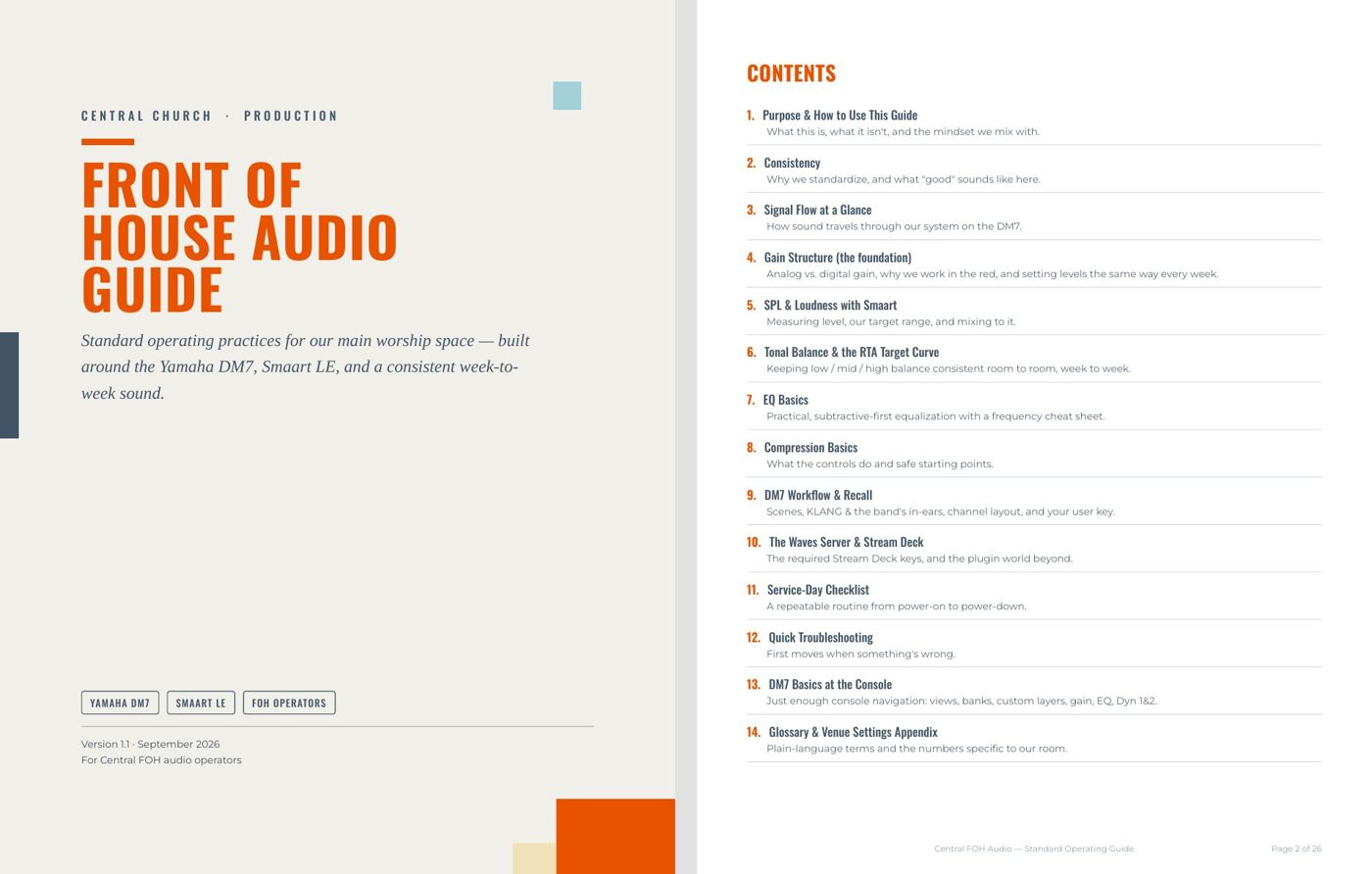
- Front of House Audio Guide (26 pages) for operators: gain structure, loudness targets measured with Smaart, tonal balance against an RTA target curve, EQ and compression, scenes and recall, a service-day checklist and troubleshooting. Each standard explains the reasoning, not just the number.
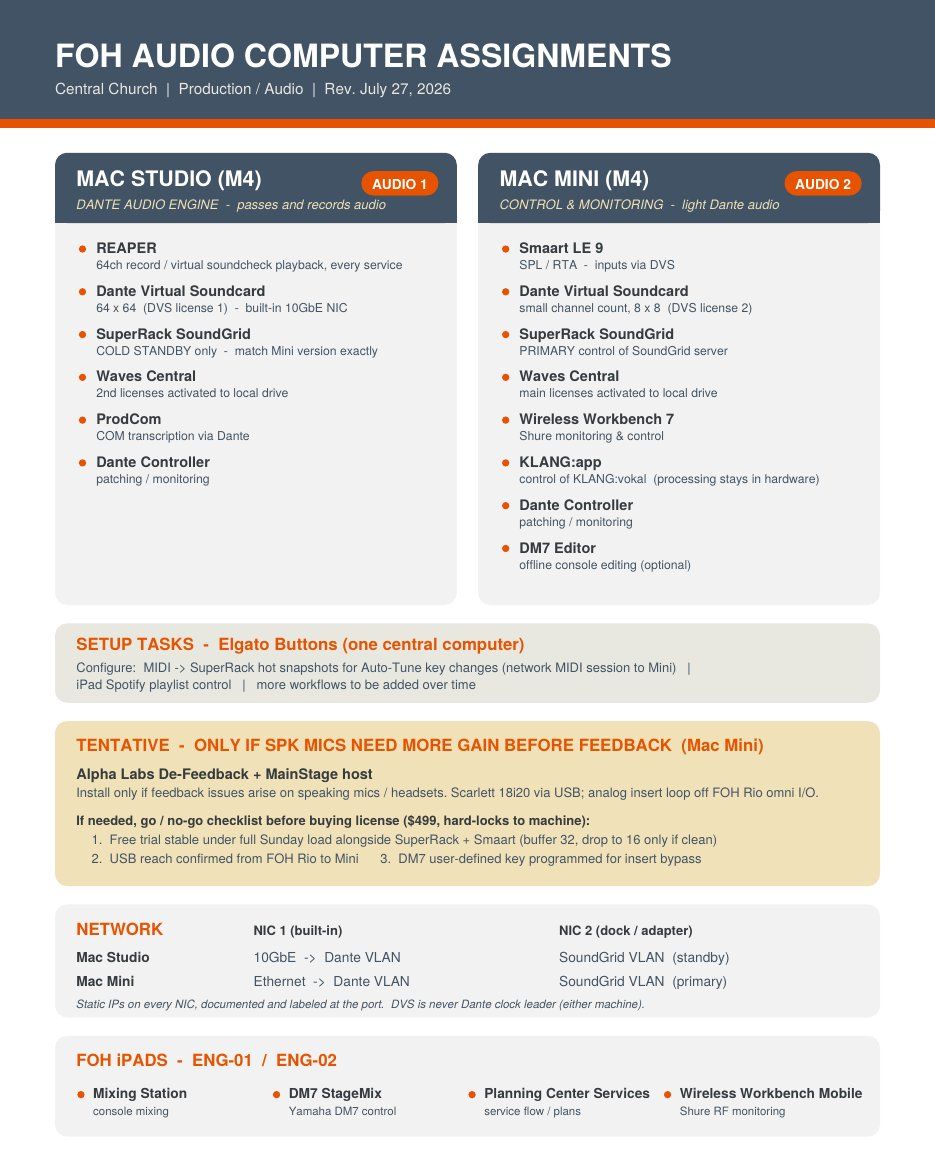
- FOH computer assignments (1 page) for staff: which software runs where, the network plan, and a go/no-go checklist before buying a $499 plugin license.
- In-ear mixing quick start (1 page) for band members: running your own mix from an iPad, tips, and who to call when something's wrong.
Technical appendix
| Subsystem | Hardware | Role |
|---|---|---|
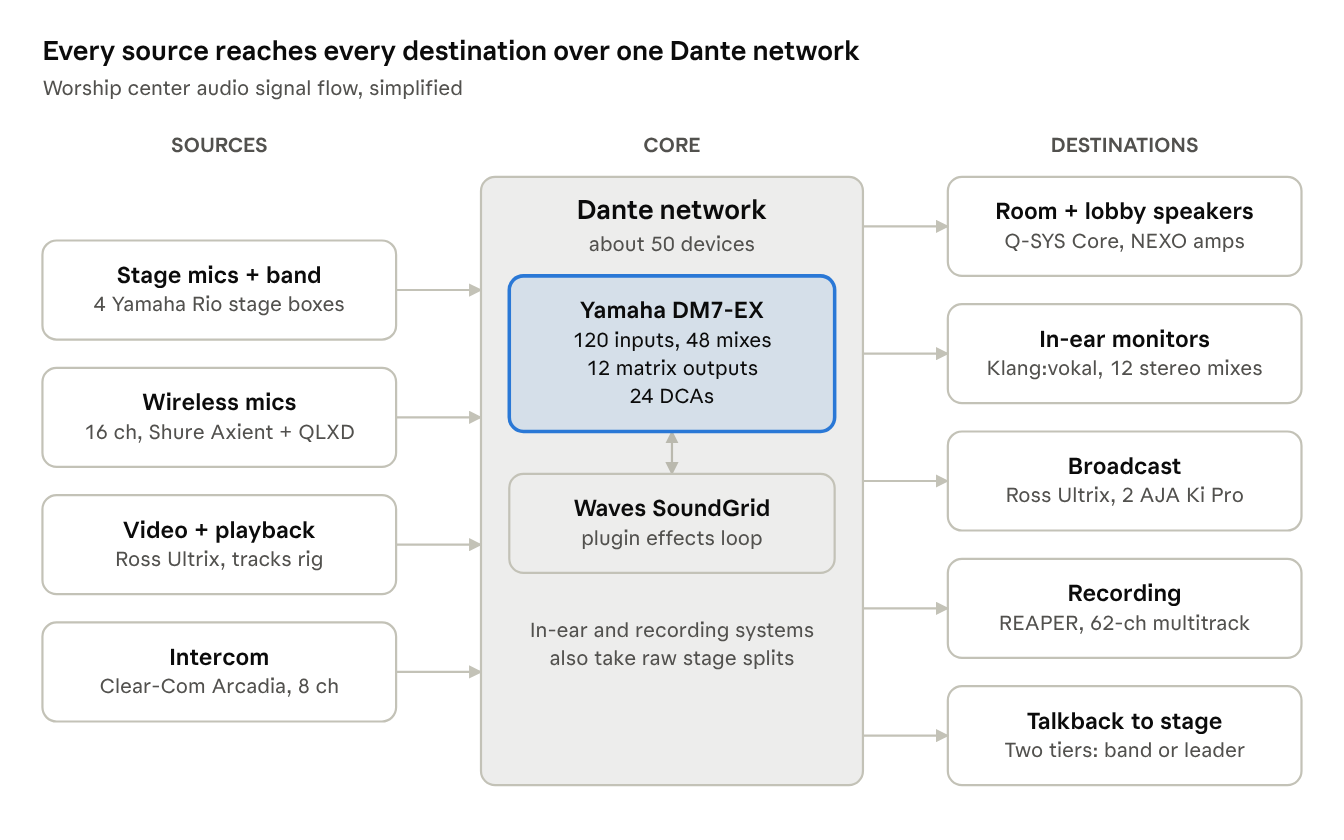
| Mixing | Yamaha DM7-EX | 120 inputs, 48 MIX, 12 Matrix, 24 DCAs, custom fader layers |
| Stage I/O | 3× Rio1608-D2, 1× Rio3224-D2 | Stage boxes; one is Dante Preferred Leader (powered 24/7) |
| Wireless | Shure Axient + QLXD via AD-TQ | 16 mic channels |
| In-ear monitors | Klang:vokal (64 ch) + Shure PSM | 12 stereo personal mixes from raw splits plus console stems |
| Intercom | Clear-Com Arcadia | 6 COM + 2 stage announce channels; two-tier talkback |
| Loudspeakers | Q-SYS Core + NEXO amplifiers | Mains, subs, front fill, lobby and other zones |
| Video and broadcast | Ross Ultrix + 2× AJA Ki Pro | 20 audio channels into the console; SDI embeds on the recorders |
| Recording | REAPER on Dante Virtual Soundcard | 62-channel multitrack and virtual soundcheck |
| Plugins | Waves SoundGrid | FX processing with returns into the console |